/ Surya Endpoint / Conference rooms

A conference room that works.

Give your people a meeting room they can walk into and use. Surya supplies, installs and configures a standardized Neat room for Zoom Rooms, Microsoft Teams Rooms or Google Meet - then keeps it running when you choose ongoing management.
Neat Advanced Partner

Fully configured. Platform-certified hardware. Documented security settings.

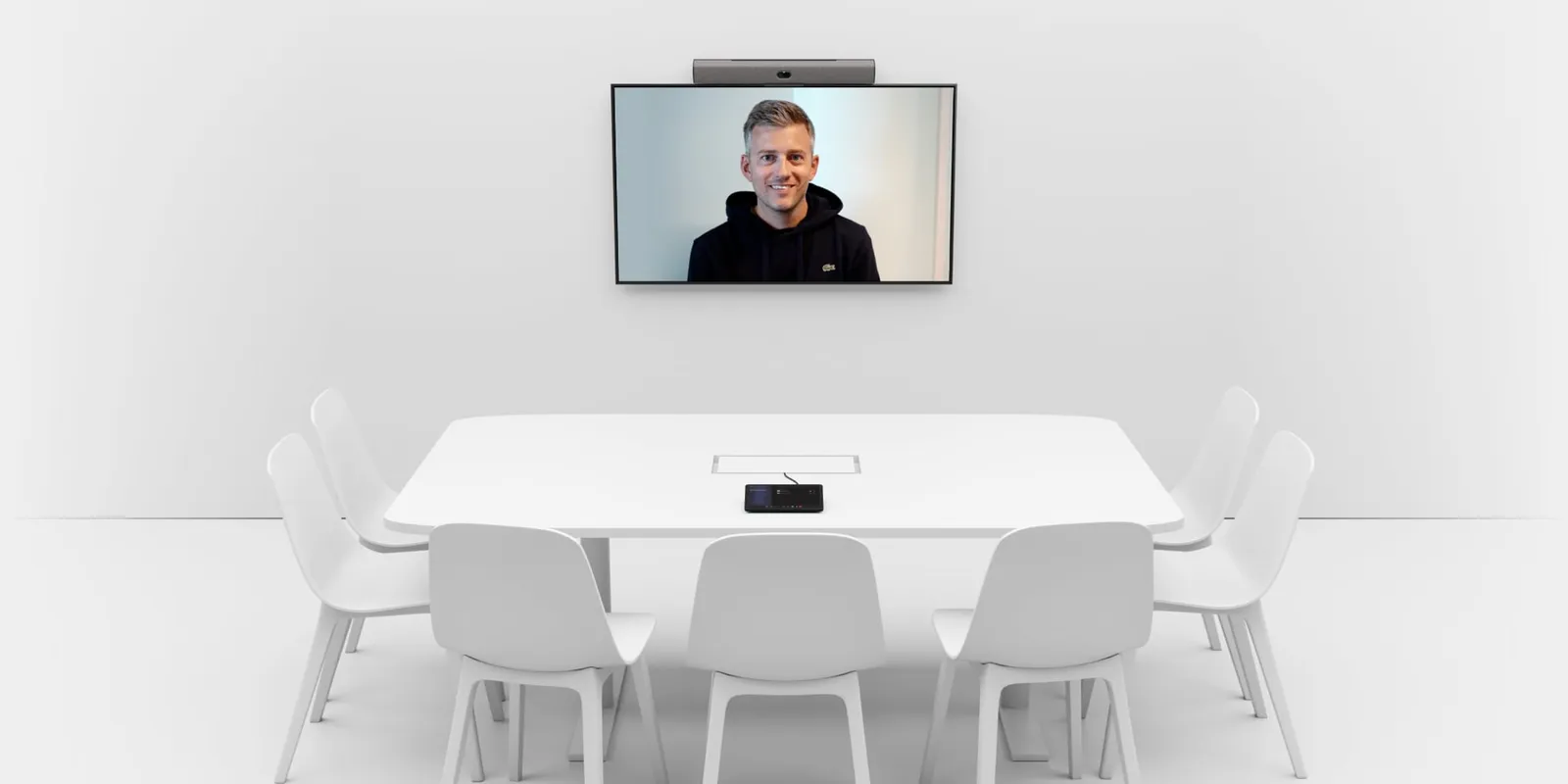
A meeting room with a Neat Bar mounted above a wall display showing a remote participant, and a Neat Pad controller on the table
Neat Bar and Neat Pad. Image: Neat.
  • Zoom Rooms
  • Microsoft Teams Rooms
  • Google Meet

Choose one primary room platform. Hardware, platform licensing and supported features are confirmed with your room scope.

Rooms for plants and care teams.

Meetings that join reliably, with clear sight and sound for remote participants, easy content sharing and optional hands-on collaboration on a Board.

Manufacturing

  • Production reviews connecting plant leaders and headquarters
  • Engineering and quality work across sites, with an optional Board
  • Supplier and project meetings in standard conference rooms

Healthcare

  • Team huddles and operational coordination across clinics and hospitals
  • Staff education and cross-site collaboration, with an optional Board

Start with one room. Buy a complete room deployment on its own, with optional ongoing room management. Explore broader Surya Endpoint or Fabric services as your needs develop.

Which Neat bar fits your room?

Two dedicated room packages, chosen by the kind of room you have. Each runs one native platform with a Neat Pad controller and the required licensing.

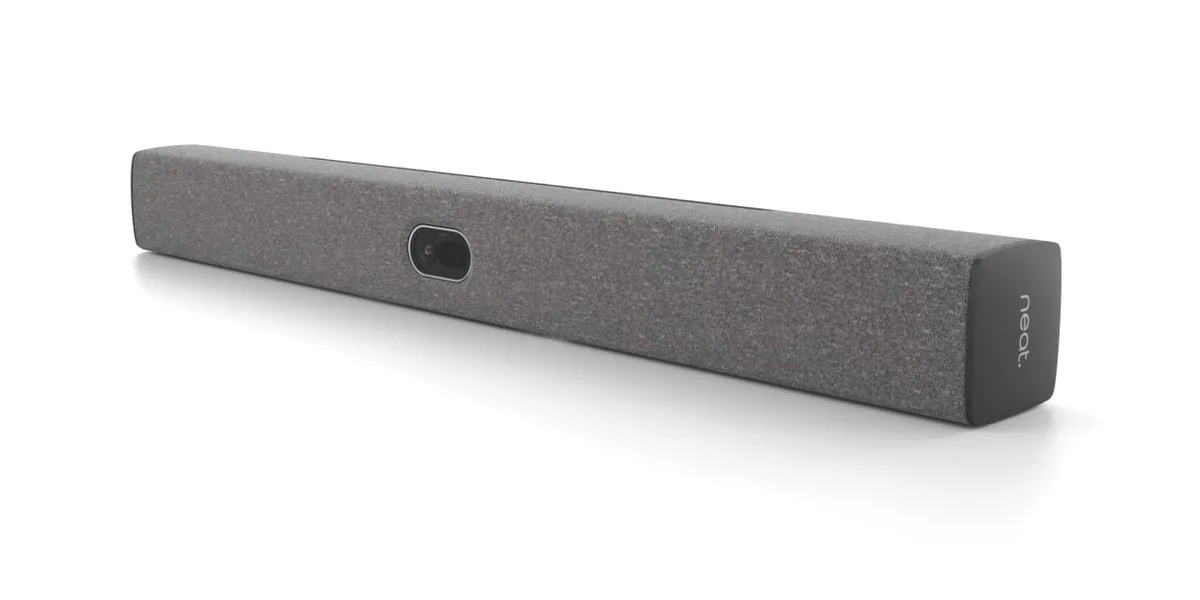
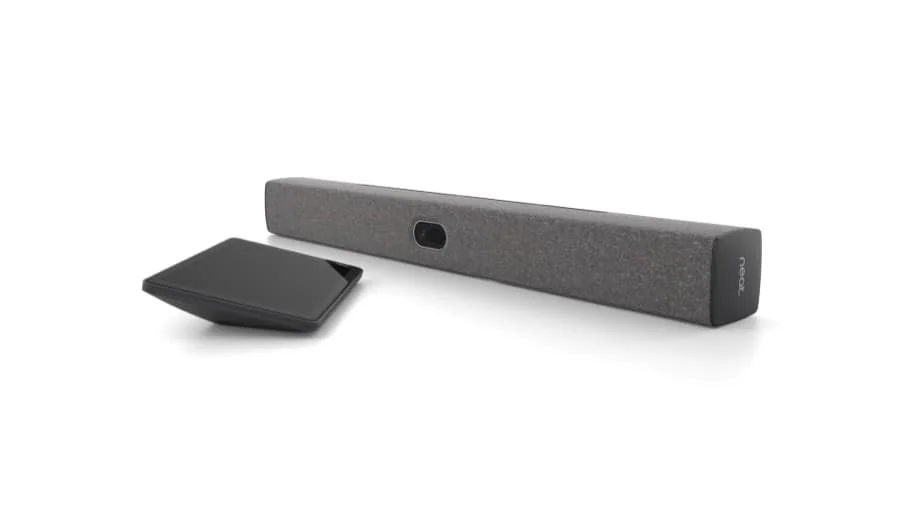
Neat Bar Generation 2 video bar with a Neat Pad controller

Neat Bar Generation 2

Small and medium meeting rooms

Neat published reach

16 ft / 5 m

Neat room guidance
Small and medium spaces
Neat published reach
16 ft / 5 m
Camera and framing
50 MP camera, 113-degree horizontal field of view, 4x digital zoom
Microphones
5-microphone end-fire array
Displays
Up to two 4K displays in native Zoom, Teams or Google Meet mode
Native platform
One of Zoom Rooms, Microsoft Teams Rooms or Google Meet
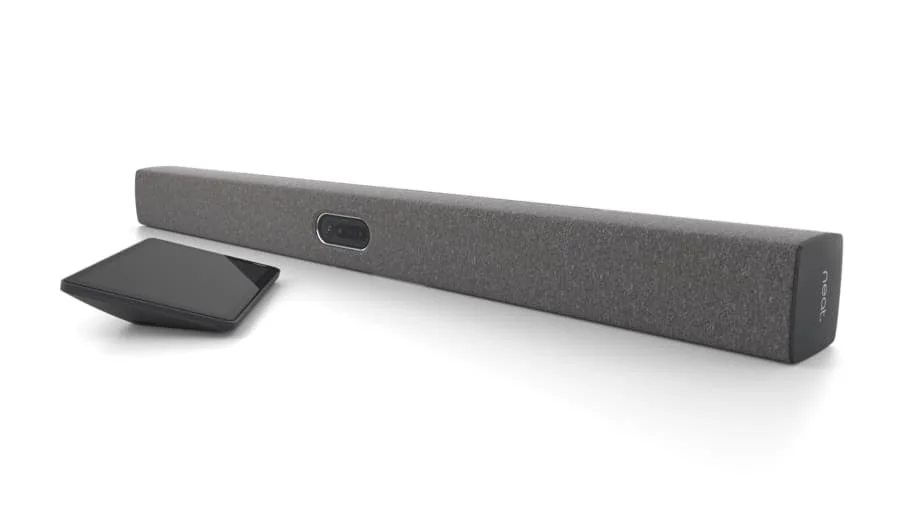
Neat Bar Pro video bar with a Neat Pad controller

Neat Bar Pro

Larger meeting rooms and deeper seating layouts, subject to fit

Neat published reach

33 ft / 10 m

Neat room guidance
Small, medium and large spaces
Neat published reach
33 ft / 10 m
Camera and framing
Two 50 MP cameras (wide and tele), 113-degree wide and 70-degree tele field of view, up to 16x hybrid zoom
Microphones
16-microphone beamforming array, 3 full-range speakers
Displays
Up to 3 displays with Zoom; up to 2 with Teams or Google Meet
Native platform
One of Zoom Rooms, Microsoft Teams Rooms or Google Meet
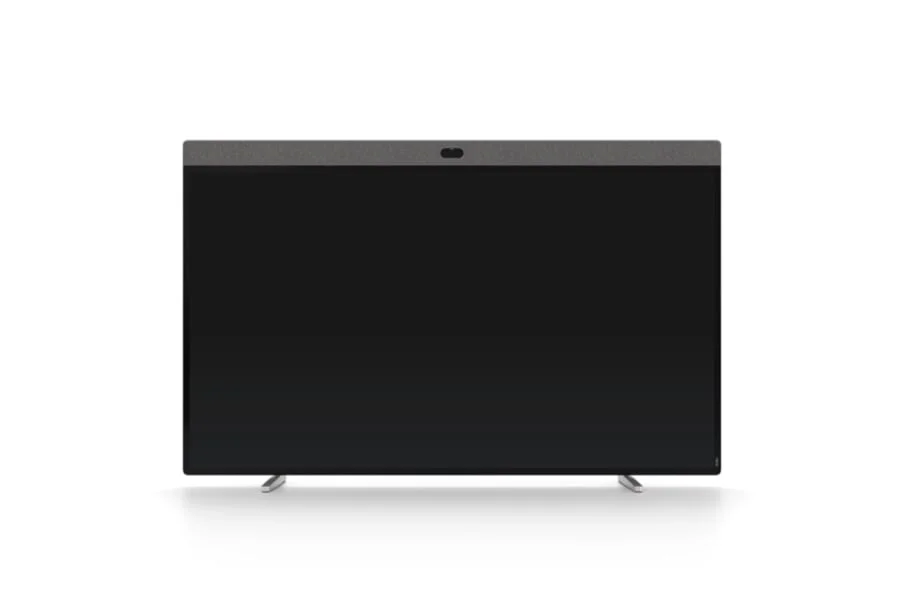
Recommended displays: Samsung commercial displays. We select the right size and compatible model, then configure and test power-on, wake-up and input selection with your Neat room.

Neat Bar BYOD - meetings run from a connected laptop

Neat also markets the original Neat Bar as a laptop-led option: small and medium spaces, 16 ft / 5 m published reach, 12 MP camera, 120-degree field of view, 5-microphone array and one 4K display. It is not one of the dedicated native room packages above.

Neat's published reach is a starting point for choosing hardware. Room layout, acoustics, seating distance and display placement determine the final fit. Surya confirms the supported configuration before quoting.

To check your room, send the room dimensions, the seating plan and the distance from the intended bar position to the farthest seat.

Manufacturer specifications checked 5 October 2026. Neat Bar Generation 2 - Neat Bar Pro - Neat Bar - Zoom Rooms display support

Work on the same ideas, even from different offices.

Neat Boards add a hands-on working surface to the room. Choose how the Board fits the way your teams work.

  • A Board as the whole room

    A standalone interactive meeting room: video meetings and hands-on whiteboarding on one device. A Bar is not required.

  • A Board alongside a Bar

    The Bar runs the meeting while the Board gives the room a hands-on surface to work on.

  • Teams in different offices

    People in different offices work on the same shared canvas during the meeting and keep the work afterwards.

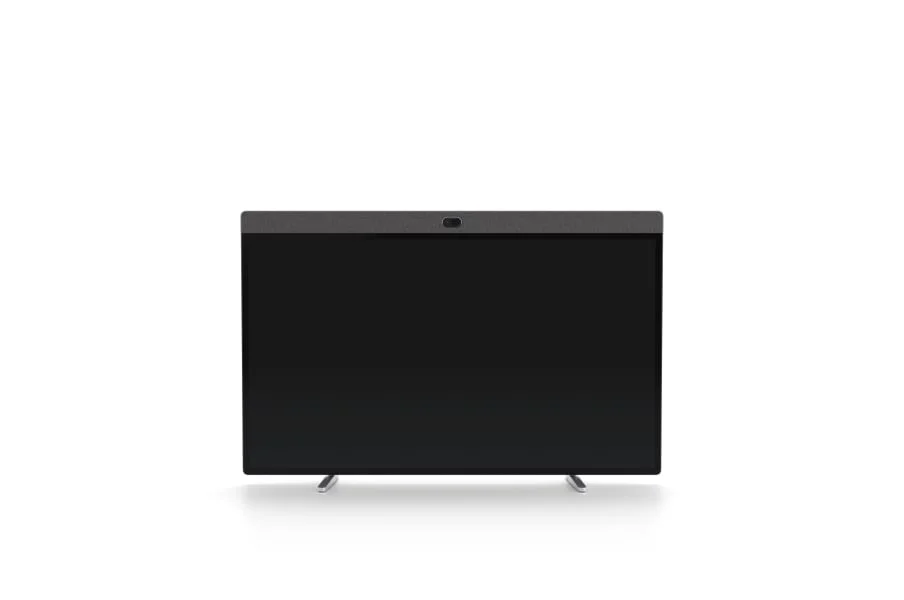
Neat Board 50, a 50-inch touch display with a camera and speaker bar across the top

Neat Board 50

50-inch 4K multi-touch display

Wall-mounted in an office or huddle space for quick sketching and video meetings.

Mounting
Wall mount, or an adaptive stand or mount
Neat room guidance and published reach
Small and medium spaces - 16 ft / 5 m
Neat Board Pro, a 65-inch touch display with a camera and speaker bar across the top

Neat Board Pro

65-inch 4K multi-touch display

Workshops and interactive sessions in medium and large rooms. On an adaptive stand it can move between suitable spaces and adjust in height.

Mounting
Adaptive stand or wall mount; needs power and network where it is used
Neat room guidance and published reach
Small, medium and large spaces - 33 ft / 10 m

Both Boards include integrated audio, camera and the Neat Active Marker. Choose one primary room platform: Zoom Rooms, Microsoft Teams Rooms or Google Meet. The published reach helps us assess the Board's fit for your room.

We confirm the collaboration app, accounts, licensing and supported room configuration with your scope.

Check my Bar and Board room →

Manufacturer specifications checked 5 October 2026. Neat Board 50 - Neat Board Pro

Optional room addition

Keep remote people in the conversation.

When people around the table turn toward each other or work away from the front display, Neat Center adds a viewpoint and microphones closer to the conversation. It works alongside a compatible Neat Bar or Board, which runs the meeting.

Cameras
Three cameras, combined into a 360-degree view
Microphones
16-microphone array, with Neat's published audio pickup up to 5 m (about 16 ft) around Center, subject to room conditions
Connection
Wired Ethernet with Power over Ethernet, configured with the main Neat device
Placement
On the table, which Neat recommends for best performance
Works with
Neat Bar Generation 2, Neat Bar Pro, Neat Board 50 and Neat Board Pro in this offer

Required software, mounting and network readiness are confirmed with the quote. A Center room is handed over after a remote-participant test of audio and framing at the agreed seats.

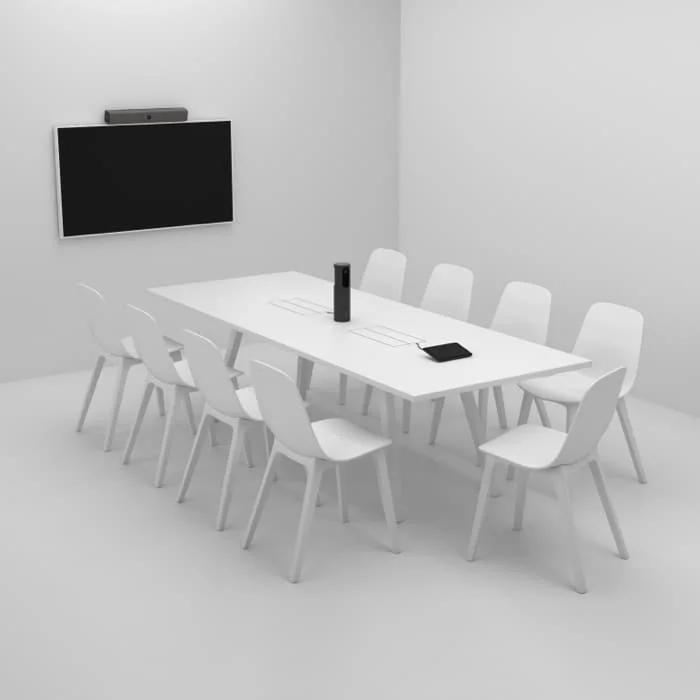
Meeting room with a Neat Bar above the display, a Neat Pad and a Neat Center standing on the table
Neat Center on the table with a Neat Bar. Image: Neat.

Meetings start. People get on with work.

  • Join in one step

    People start the scheduled meeting from the room controller instead of hunting for cables, codes or the right account.

  • Hear and be heard

    Integrated microphones and speakers carry the conversation both ways, so remote participants are part of the meeting.

  • Be seen

    The built-in camera frames the people in the room, so the meeting feels like one conversation.

  • Share the screen

    Supported content sharing puts the work on the display without a search for adapters.

  • Less troubleshooting

    A documented, managed configuration means fewer meetings start late while someone fixes the room.

A standard room. A clear owner.

Integrated Neat equipment puts the camera, microphones and speakers in one system, so there are fewer separately engineered components to design, tune and keep working.

Surya documents the configuration and hands it over, so the room can be maintained without the original AV designer recreating it. Your organization keeps ownership of and access to its platform tenant and the room documentation.

Your room runs on a documented standard that Surya can deploy, support and reproduce across your sites.

Neat Bar Generation 2, a fabric-covered video bar with a central camera

What you buy

Stage 1

Room deployment

  • Approved Neat Bars, Neat Boards, Neat Pad controllers, mounting and an optional Neat Center, listed in the proposal
  • Agreed mounting and installation
  • Your selected native platform, with the room account and calendar set up through authorized access
  • Documented room security settings
  • Enrollment for management, as agreed
  • For purchased collaboration scope, the selected collaboration app, platform settings, permissions and any required paid Neat Pulse or app licenses
  • Meeting acceptance tests
  • A short user handover and a configuration record

Stage 2 - optional

Room management

  • Ongoing monitoring of supported devices and their configuration
  • Supported updates
  • Remote troubleshooting
  • Escalation to the vendor where needed
  • Delivered with the appropriate Neat Pulse plan and the required platform tools
  • An agreed repair or replacement route

Onsite attendance, hardware cover and response commitments are written into the proposal. Neat Pulse manages the Neat hardware. It complements your platform's own room administration and does not control every display, network, tenant or third-party peripheral.

Displays, site cabling and power readiness, platform and Neat Pulse licensing (including any paid Pulse or app license a selected collaboration setup needs, even without ongoing management), and equipment coverage are each specified in the quote, so you see what is included and what is not before anything is ordered. Room-only scope does not include Surya Control appliances or the Surya Endpoint workstation service.

Built for rooms that fit the standard.

  • The layout, acoustics and display placement fit the built-in audio and video of an approved Neat Bar or Neat Board, or a supported Bar and Board setup, with an optional Neat Center
  • Supported network, power and platform tenant are in place or planned
  • One selected native platform for the room
  • A simple installation that can be repeated room to room

This offer covers integrated Neat rooms built from approved Bars, Boards, controllers, mounting and an optional Neat Center. Custom audio systems, distributed speakers, ceiling microphone arrays, bespoke control programming and room construction sit outside this package.

We hand over a working room.

  1. 01Room account, calendar and meeting invitation work on the selected platform.
  2. 02Join a real test meeting.
  3. 03Confirm two-way audio and camera framing with a remote participant.
  4. 04Confirm supported content sharing.
  5. 05Verify the agreed access and device settings and management access.
  6. 06Where collaboration is purchased: start the chosen canvas, edit it from the local Board and from a remote office, and verify the agreed permissions.
  7. 07Confirm each display powers on, wakes from standby and shows the correct room input.
  8. 08Where Neat Center is purchased: test audio and framing for a remote participant at the agreed seats, and record the result.
  9. 09Where collaboration is purchased: save the canvas to the agreed owner, reopen it, and confirm Bar audio and video stay usable while sharing.
  10. 010Record the configuration, the test results and who owns support and recovery.

Configured to your agreed security requirements.

The agreed identity, access, device configuration and update requirements are applied and tested within the room scope. Room accounts, administrative access, device settings and update responsibilities are documented, with supporting evidence for the purchased scope.

Platform certification confirms the hardware is supported for the platform. It is not an organizational HIPAA, CMMC or SOC 2 certification, and a room does not make an organization compliant.

How Surya evidence and reporting work →

Questions

Can we start with one room?

Yes. One room is a complete purchase. Standby, Fabric or the wider Endpoint workstation service are not required.

Which meeting platforms?

Zoom Rooms, Microsoft Teams Rooms or Google Meet, on the certified Neat configuration for that platform. Each room runs one primary platform.

Can you use our displays?

Subject to compatibility and mounting. Displays you keep or buy are written into the agreed equipment list.

Do we need a Bar with a Neat Board?

No. A Neat Board can be the whole room on its own. A Board can also sit alongside a Bar in a supported configuration, with the Bar running the meeting audio and video.

Can offices whiteboard together?

Yes, through a supported shared canvas on the selected platform or collaboration app. It depends on that app, your tenant and its permissions, not on the hardware alone, and it is scoped and tested before quoting.

Do you take over our IT?

No. Surya owns the purchased room scope. Your IT team and adjacent providers keep their responsibilities.

What if our room needs complex AV?

Then it is not a fit for this standardized offer, and Surya does not take on bespoke AV engineering.

Is ongoing management required?

No. Room management is optional and defined separately in the proposal.

Does certified hardware make us compliant?

No. Hardware and platform certification concern supported operation. Your security and compliance position depends on the agreed controls, licenses and policies and on your wider environment.

Start with one room.

Tell us where meetings break down. We will confirm whether your room fits the standard and provide a defined scope for equipment, deployment and optional management.

Check your room fit →