Keep your sites running and compliant.
Secure agentic functions for clinics and plants under HIPAA, FDA or CMMC, IT among them. Named agents backed by our human team 24/7, a physical supply chain and compute at the Surya RTP Distribution Center.
Add sites without building an IT team, or a compliance program, at every location.
50%
Lower IT operating costs
For your agreed operating scope How we get to 50% ↓Modeled on published 2026 rate guides; your figure comes from the scope review.
Faster resolution
through approved automation and 24/7 escalation
15 minutes
Keep people productive
Swap a laptop
30 minutes
Keep sites online
Swap critical site components(Less where automated failover exists)
<1 day
Put AI to work
First business-focused agent on our secure AI foundation
The 15-minute swap applies where a prepared replacement is already onsite. Other locations follow the delivery and recovery arrangements in their agreement. First agent: from the point the prerequisites are met (tenant access consented, data source connected, named business owner).
SOC 2 Type II audited. Supports your HIPAA compliance requirements.Report available under NDA. · Operating since 1999 · Research Triangle Park, NC
AI agents backed by Surya's human team, 24/7.
Meet your operating team.
Inside each product, named agents take the routine work on the approved list and Surya engineers take the exceptions, around the clock. Beside them are the functions you build for your own business, on the same floor. The names are defaults; during setup we tune them with you: how they speak, what they are called, where they hand off to a person.
Choose the job you need done. Your quote identifies the Surya products, site equipment and permissions required to deliver it.
Get failed equipment replaced

Mara
The swap
Watches every workstation, line PC and edge box across your plants. When one is failing she has the replacement already in the locker and tells the line lead which slot to open. She does the swap paperwork, the return and the custody record.
- Takes off your team:
- Chasing a replacement: dispatch, handover and the custody record.
- Alone:
- the whole swap.
- To a person:
- anything that needs hands on the line.
- What you buy:
- Surya Endpoint for the workstations in scope.
- Delivered through:
- Surya Endpoint, with Surya Standby included. Standby prepared recovery and Surya Control are included within the agreed workstation profile, not bought again.
Scope Mara →Before it starts
The workstation profile, sites and replacement stock are agreed in the quote. Where physical recovery is included, replacements are held in a Surya-operated smart locker.
Your named owner approves consequential changes. Anything that needs hands on the line goes to a person.
Need only prepared replacements for the configurations you run today? Surya Standby can be bought on its own for that. It does not include the monitoring, identity or workstation operation.
Get people ready to work

Dale
The door
HR says someone starts Monday; Dale has the laptop built to the plant standard, the account live, and the badge scoped before Friday. When someone leaves he collects, revokes and closes it out the same day.
- Takes off your team:
- The setup steps for each new starter and leaver, with access approved by your people.
- Alone:
- every joiner and leaver.
- To a person:
- a manager who has not confirmed the request.
- What you buy:
- Supported Surya Endpoint scope for joiners and leavers.
- Delivered through:
- Surya Endpoint.
Scope Dale →Before it starts
Supported licenses, the role catalogue and access prerequisites are confirmed in the quote.
You approve access and consequential actions. An unconfirmed request waits for a person.
Keep sites connected

Ruth
The network
Holds the standard on the switches, access points and firewall at each plant. When a switch dies the spare is already on the shelf at that site; she stages it, a technician swaps it, she confirms it is back on standard.
- Takes off your team:
- Watching site network health and opening the right fix.
- Alone:
- monitoring, configuration, spares.
- To a person:
- the physical swap.
- What you buy:
- Surya Fabric for the site network in scope.
- Delivered through:
- Surya Fabric, with Surya Standby included. Prepared network spares and Surya Control are included within its agreed scope, not bought again.
Scope Ruth →Before it starts
Physical swap ownership and site readiness are agreed in the quote. Spares can sit in an existing secure room or cage with the agreed custody tracking.
A person does the physical swap. Ruth stages the spare and confirms the network is back on standard.
Control access to the production network

Sol
The floor boundary
Sees what is on the OT network and makes sure nothing from the office side reaches the PLCs and HMIs. Produces the inventory of controllers and the evidence an auditor asks for.
- Takes off your team:
- Routine checks on production network access requests; your plant team approves every change.
- Alone:
- visibility and the report.
- To a person:
- anything that would touch a controller.
- What you buy:
- Surya Fabric with the purchased OT and CPS scope.
- Delivered through:
- Surya Fabric with OT and CPS security. Enforcement applies on the network Surya operates.
Scope Sol →Before it starts
Sites and OT scope are confirmed in the quote.
Your plant team keeps production controls and control logic. Anything that would touch a controller goes to a person.
Claroty OT and CPS visibility, licensing and deployment can instead be bought on its own as a separate purchase.
Keep routine IT moving after hours

Wes
The night shift
Takes every after-hours message in Teams, fixes what the approved list can fix, and has the rest in front of a Surya engineer before first shift.
- Takes off your team:
- Routine after-hours requests on the approved list, so on-call people take only exceptions.
- Alone:
- resets, slow-PC fixes, the known list.
- To a person:
- everything else, by 6am.
- What you buy:
- Supported Surya Endpoint scope for after-hours requests.
- Delivered through:
- Surya Endpoint.
Scope Wes →Before it starts
Supported licenses, the role catalogue and access prerequisites are confirmed in the quote.
Night work is limited to approved operations. Everything else goes to a Surya engineer and your named owner.
Built with you
Shift handover
Reads the shift log and each line's open issues before the shift turns over. It writes the handover note and puts it in front of the incoming supervisor in Teams, so nobody starts the shift guessing.
- Takes off your team:
- Writing the handover note at the end of every shift.
- Alone:
- reading the log and drafting the note.
- To a person:
- the outgoing supervisor, who checks and sends it.
- What you buy:
- Surya Agent Platform
- Before it starts:
- Your systems, permissions and approvals are confirmed in the quote.
You build this one
Maintenance request
Takes an operator's message in Teams, opens the work order in your maintenance system and follows it until it is closed. When a request sits too long, it tells the maintenance lead.
- Takes off your team:
- Retyping requests into work orders and chasing them.
- Alone:
- opening and tracking the work order.
- To a person:
- setting priority and doing the repair.
- What you buy:
- Surya Agent Platform
- Before it starts:
- Your systems, permissions and approvals are confirmed in the quote.
You build this one
Quality hold
Watches for a hold being placed. It pulls the batch record, tells the people on the hold list and drafts the disposition packet in SharePoint.
- Takes off your team:
- Gathering the paperwork for every hold.
- Alone:
- the pull, the notices, the draft.
- To a person:
- the disposition, which a person signs.
- What you buy:
- Surya Agent Platform
- Before it starts:
- Your systems, permissions and approvals are confirmed in the quote.
You build this one
Supplier documents
Watches which certificates of analysis and safety data sheets are missing or due. It chases suppliers by email and files what comes back where the auditor looks.
- Takes off your team:
- Chasing supplier paperwork before an audit.
- Alone:
- the chasing and the filing.
- To a person:
- a supplier who does not answer, or a document that does not match.
- What you buy:
- Surya Agent Platform
- Before it starts:
- Your systems, permissions and approvals are confirmed in the quote.
One intake conversation sets how they speak. A plant talks in shifts and lines. A clinic talks in rooms and providers and never names a patient. That tuning is done with you, not handed to you.
Every agent on this roster, Surya's hires and the functions you build alike, runs under identities in your own Microsoft 365 tenant that your administrator can see, audit and revoke, and under Surya Control: routine work on the approved list, consequential changes only with your named owner.
Hires that share a product share one purchase, and recovery already included in Endpoint or Fabric scope is not a second purchase. Choosing hires is an enquiry, not an order: qualification confirms the supported scope.
Surya Agent Platform can be bought on its own. Every agent on it, Surya's and yours, runs under identities in your own Microsoft 365 tenant that your administrator can see, audit and revoke, and under Surya Control.
What stands behind them.
An agent that can only send a message is a chatbot. These agents finish the job because Surya's people stand behind every one of them and, where it is in scope, three physical things do too.
01
Surya engineers on shift 24/7.
Engineers on shift around the clock, 365 days a year, take what an agent should not. Each agent hands off to a person at the points shown on its card.
How it works →02
The supply chain at the Surya RTP Distribution Center.
Your replacement devices and site equipment are built to your standard, stocked, shipped and replenished from one building in Research Triangle Park. When Mara says the replacement is ready, it is because a person at RTP already built it and put it on a truck.
How it works →03
Prepared replacements at your sites.
Where Standby covers workstation recovery, replacements are held in a Surya-operated smart locker, every slot tracked. Qualified network and site spares can sit in an existing secure room or cage with the agreed custody tracking. A network-only scope, an Endpoint profile without physical recovery and Agent Platform alone need no locker.
How it works →04
Agentic compute at RTP.
General-purpose cloud agents, the Surya roster, run on shared compute that is Surya's and included. Client-specific agents, the ones you build, and any compute a task requires at your site run on your paper, in your Azure or on hardware at your site, operated by Surya. Every action logged off the compute within seconds. Switched off from your own tenant, by you.
How it works →
The agents are how the work gets done. Surya's people, the building, the prepared replacements and the hardware are why it gets finished.
Secure AI foundation
Put AI to work in your core business.
Surya Agent Platform is a secure, operated Microsoft foundation for the functions your business runs on. We establish identity, approved data access, environments and controls. Your people build the functions, or Surya builds them with you, or any split in between. The business decisions stay yours.
Scope agreed separately. One production function is included in months 1 to 12, built with you once the prerequisites are met; further function builds are $4,000 each. The examples depend on your systems, permissions and approvals.
Explore Surya Agent Platform →What you buy
Three products. The outcomes your sites depend on.
- Surya StandbyKeep sites working.Prepared replacement equipment ready at the site before a failure stops the work, with authorized handover and custody recorded. Replenished from the Surya RTP Distribution Center.
- Surya EndpointKeep people productive.Supported devices, accounts and the right approved access for every person, through onboarding, role changes and offboarding, under the agreed security controls.
- Surya FabricKeep sites connected.The site network installed, tested and operated: controlled access and segmentation, operated availability and performance, and recovery to the approved configuration.
Standby, Endpoint and Fabric together are Surya Foundation →
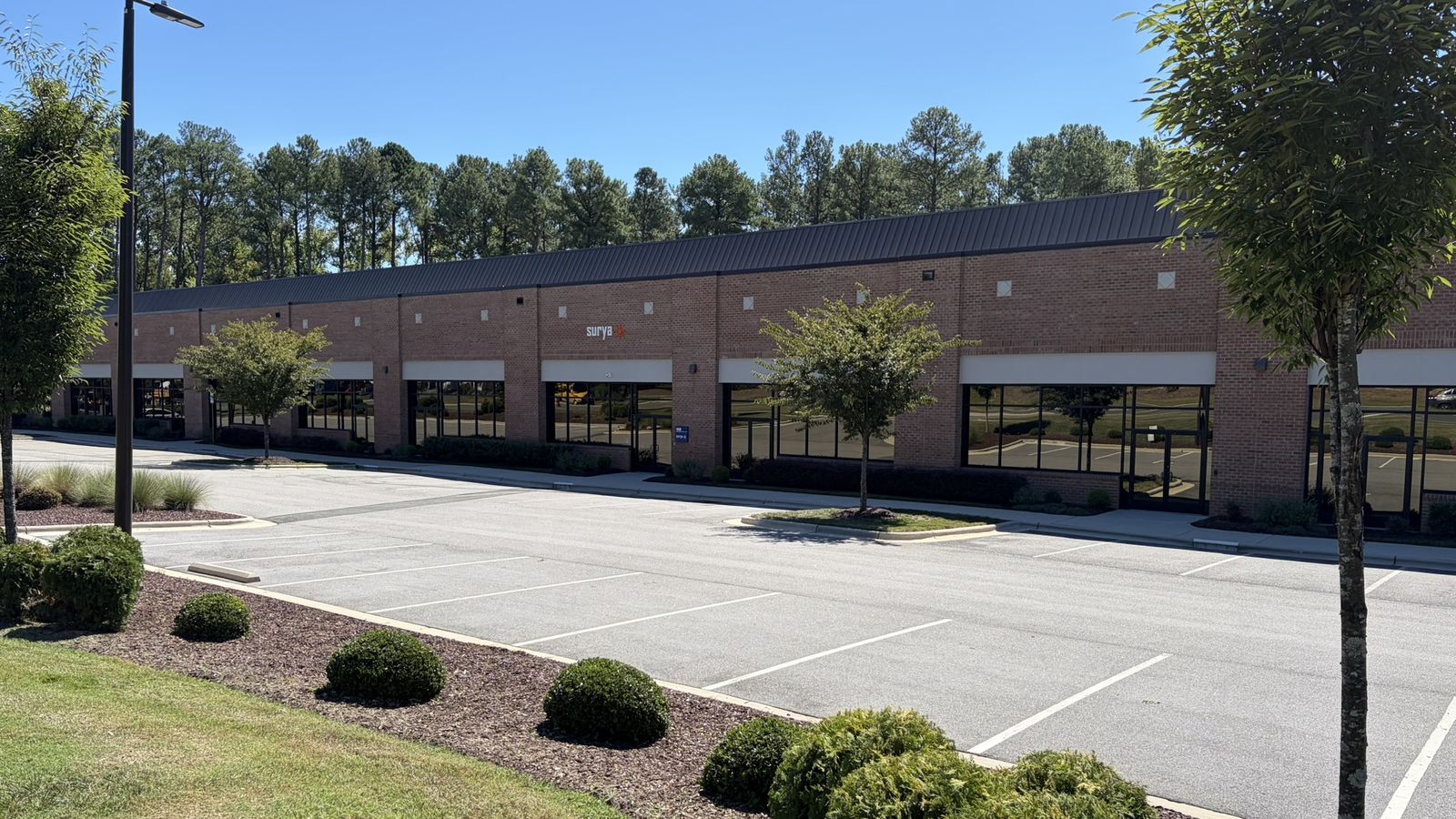
/ Surya RTP Distribution Center - Research Triangle Park, NC
Ready-to-use equipment, prepared in Research Triangle Park.
Where your scope includes equipment, it is prepared at the Surya RTP Distribution Center to your agreed configuration, delivered to your sites, and returned and replenished as applicable to what you purchased.
- Prepared to your agreed configuration
- Delivered and handed over at your sites
- Returns and replenishment where included
Agents coordinate the approved work. Surya people do the physical preparation, delivery and installation; support is 24/7, and physical work follows the schedule agreed in your scope.
The offer
How we get to 50%.
After reviewing your current costs, we offer to take over an agreed scope of IT operations for at least 50% less. Savings apply to that agreed scope, not your entire IT budget. Modeled on published 2026 rate guides; your figure comes from the scope review.
/ 01
Show us how you run IT.
We start from records you already have: sites, users and devices, internal team costs and responsibilities, provider invoices, software and hardware costs, contract renewals, and representative support tickets and onboarding activity.
/ 02
Agree on the comparison.
Together we define the operations Surya takes over and the annual cost baseline for them. We compare like-for-like scope and service coverage, including Surya fees and the third-party costs you keep. Transition and overlap costs and the first-year impact are shown separately from steady-state savings. Spend actually removed, future hiring avoided and staff time redeployed are counted separately; salaries that do not change are never counted as cash savings.
/ 03
Get a written offer.
Defined scope, price, responsibilities, transition plan and the savings calculation. We make the 50% offer only when the reviewed scope meets that threshold. Not every organization will qualify.
What to bring
- Number of sites, users and devices
- Internal IT team costs and responsibilities
- Current provider invoices
- Software and hardware costs
- Upcoming contract renewals
- A sample of support tickets and onboarding activity
Start with a short enquiry: contact details, your sites and how you run IT today. Detailed records are shared after first contact, through a secure process we agree with you. Please do not put payroll, contracts or tickets in the form.
The offer covers operated Standby, Endpoint and Fabric scope. Microsolutions such as Microsoft 365 licensing, conference rooms, smart lockers, OT and CPS security or Vanta stay separate purchases and are not automatically part of the 50% offer. Agent Platform is the foundation your team builds its own business agents on.
See what you could save →Research behind the offer →Why one floor.
Every function on one floor.
Your people and your agents, IT among them, need a secure, operated environment to get work done. Surya brings defined products, human support and physical fulfillment, with responsibility for the scope you buy.
Surya runs IT because IT is the function that makes the floor physical. A sales agent, a quality-hold agent, a referral agent, none of them can do anything if the laptop in the clinic is dead, the switch at the plant is down, or the identity it acts under was never set up. The functions you build need somewhere physical to stand. That is the device in the hand, the network on the wall, the tenant the agents live in, and the replacement already in the building.
Assembling it
- You assemble the people, tools and vendors.
- You coordinate the handoffs between them.
- You maintain standards across sites and suppliers.
- You arrange replacement stock and the recovery process.
The Surya product model
- A defined product standard, released and tested.
- A purchased scope with written inclusions and exclusions.
- Surya holds operating responsibility for that scope.
- Every agent, Surya's and yours, on one floor under Surya Control.
- Prepared recovery at the site where Standby is included.
Surya - within your purchased scope
Agreed workstation and network operations. Equipment lifecycle and recovery. Agreed security controls and evidence.
Your team
Business priorities and policies. Specialty clinical and manufacturing applications. Application development and business workflows.
Business agents: built by your people, by Surya with you, or any split in between. They run on the floor either way.
Example: a workstation cannot open a specialty application. Surya restores the workstation and its connection to the agreed state. If the application itself is at fault, its owner or vendor takes it from there. Clinical and production decisions remain yours.
Why Surya
26 years of operations. Built into the platform.
26 years of MSP experience and operations data inform the workflows, agents and physical delivery behind Surya. We are turning that experience into a floor every function can run on, so your team can focus on your business. Why Surya →
78% of support responses are AI-first (first response by an agent; all customers, 90 days to September 2026).
Engineers on shift around the clock, 365 days a year.
- About 40 clinics in four states. Scope: device preparation, delivery, return, erasure and custody.
Equipment prepared and replenished from the Surya RTP Distribution Center.
Start with one thing.
- One site on Surya Standby.Replacements prepared to the configurations you run today, in a Surya-operated smart locker for workstations or a secure room or cage for network spares.
- One component.Microsoft 365 licensing, a conference room, a smart locker, OT and CPS security, or Vanta.
- One function on the Agent Platform.
Start with the business problem you need to solve: a working room, secure access, ready equipment or an agent platform. One written quote defines the scope. Expand on the same operating standard when you are ready.
Choose a business outcome. See the microsolution and its delivery team.
- Microsoft 365 licensing →
Work accounts and licensing for your people.
Licensing through Surya on your agreement, with optional defined setup.
- Smart lockers →
Device pickup and return without waiting.
Locker hardware, software and setup, run by your team.
- Agent deliverySol - With agreed operation: connected asset visibility and evidence




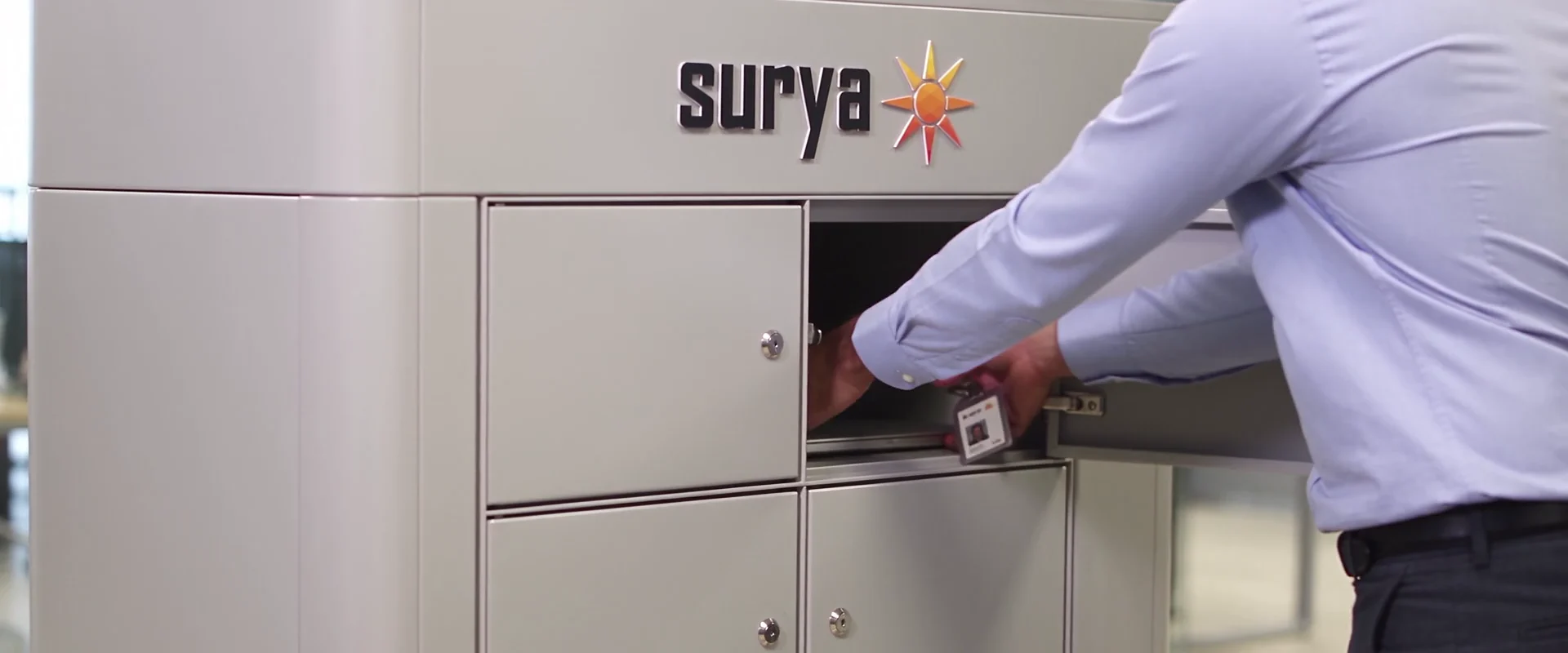
How Surya Standby works.